
For Brokerages: Run the Whole Sale in One Place
Move each sale forward with the full picture
Keep the listing, enquiry, client and paperwork together so your team can see what happened and what needs attention next.
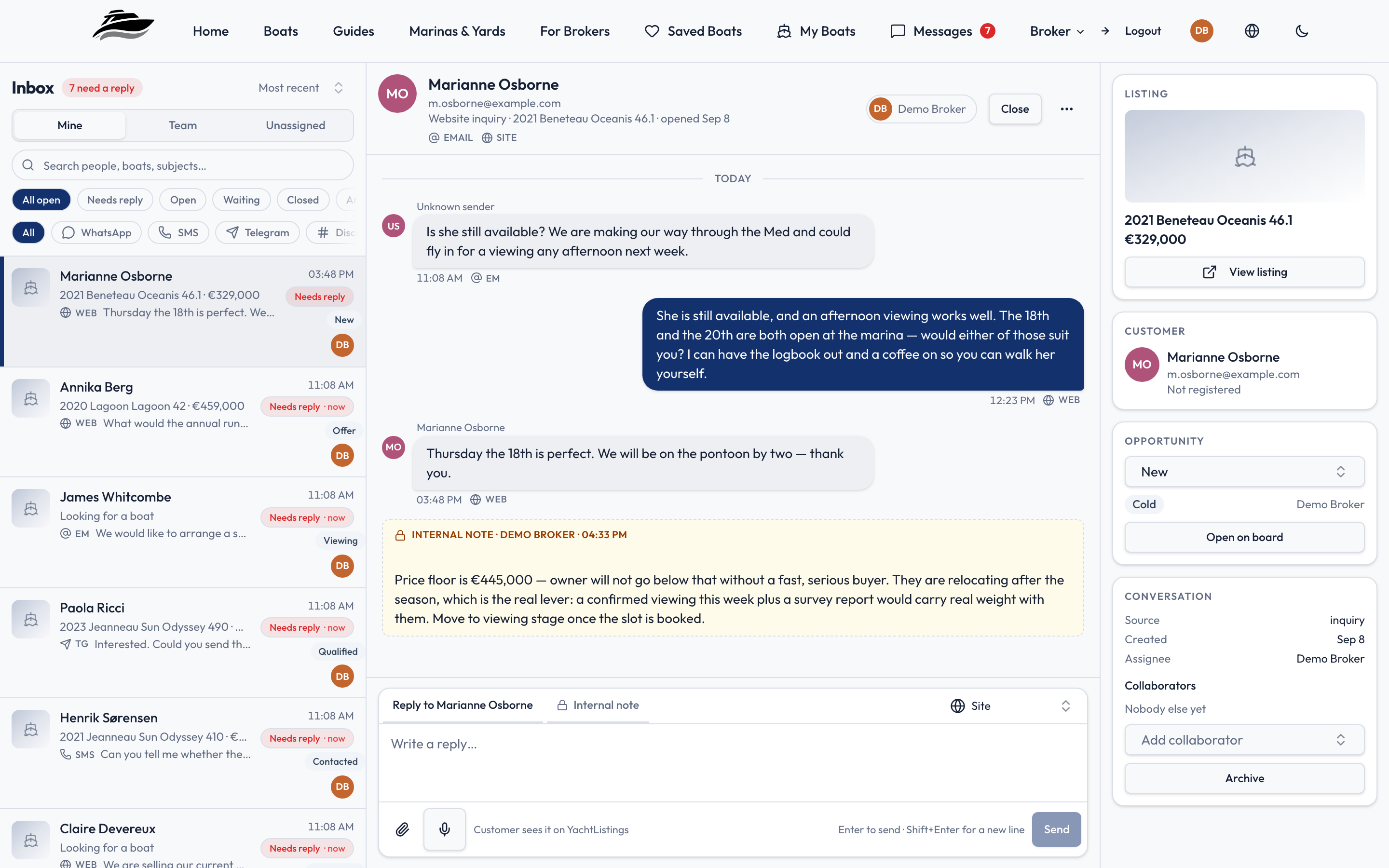
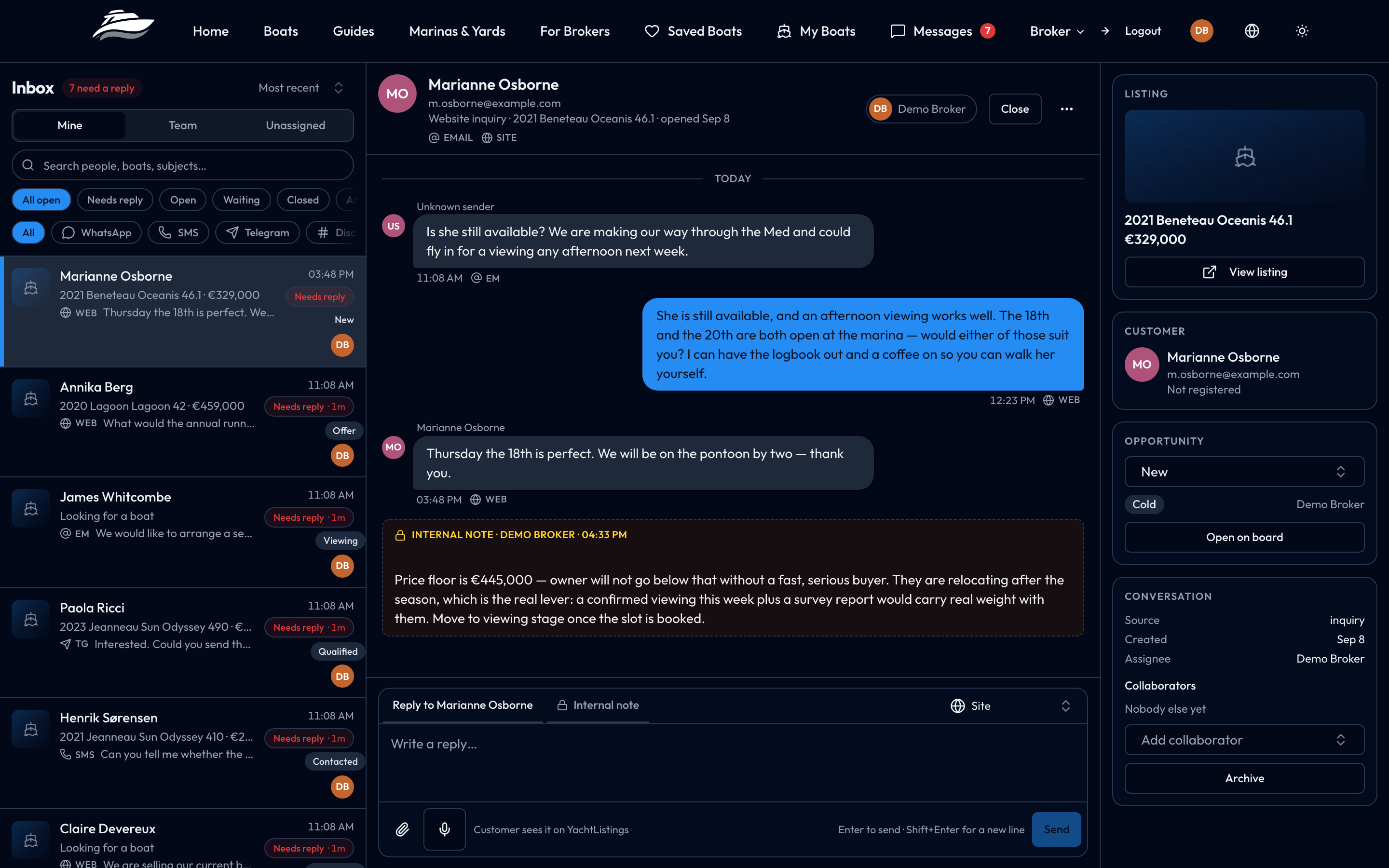
Reply with context
See conversations in one shared place, even when a buyer changes channel or a colleague takes over.
Keep deals moving
Track viewings, offers and follow-ups in a pipeline that reflects completed work.
Spend less time re-entering details
Carry boat and client details into onboarding, documents and signing.
Your data, your team, your control
Check how the platform handles the information you entrust to it before you sign up.
- Member permissions let you decide who can manage listings, clients, contracts and opportunities.
- Private documents are kept in protected storage with visibility controls.
- Use your own domain and connect your own messaging accounts where supported.
The Problem This Solves
A yacht brokerage that runs well today runs on five or six systems that do not talk to each other: a shared mailbox, a phone with WhatsApp on it, a spreadsheet of who is where in the process, an e-signing subscription, a website somebody built four years ago, and one or more listing portals. The boat exists in all of them and the deal exists in none of them.
YachtListings.app puts the listing, the conversation, the client and the paperwork in one record, so that answering "what is happening with this boat" does not require opening four applications and asking a colleague.
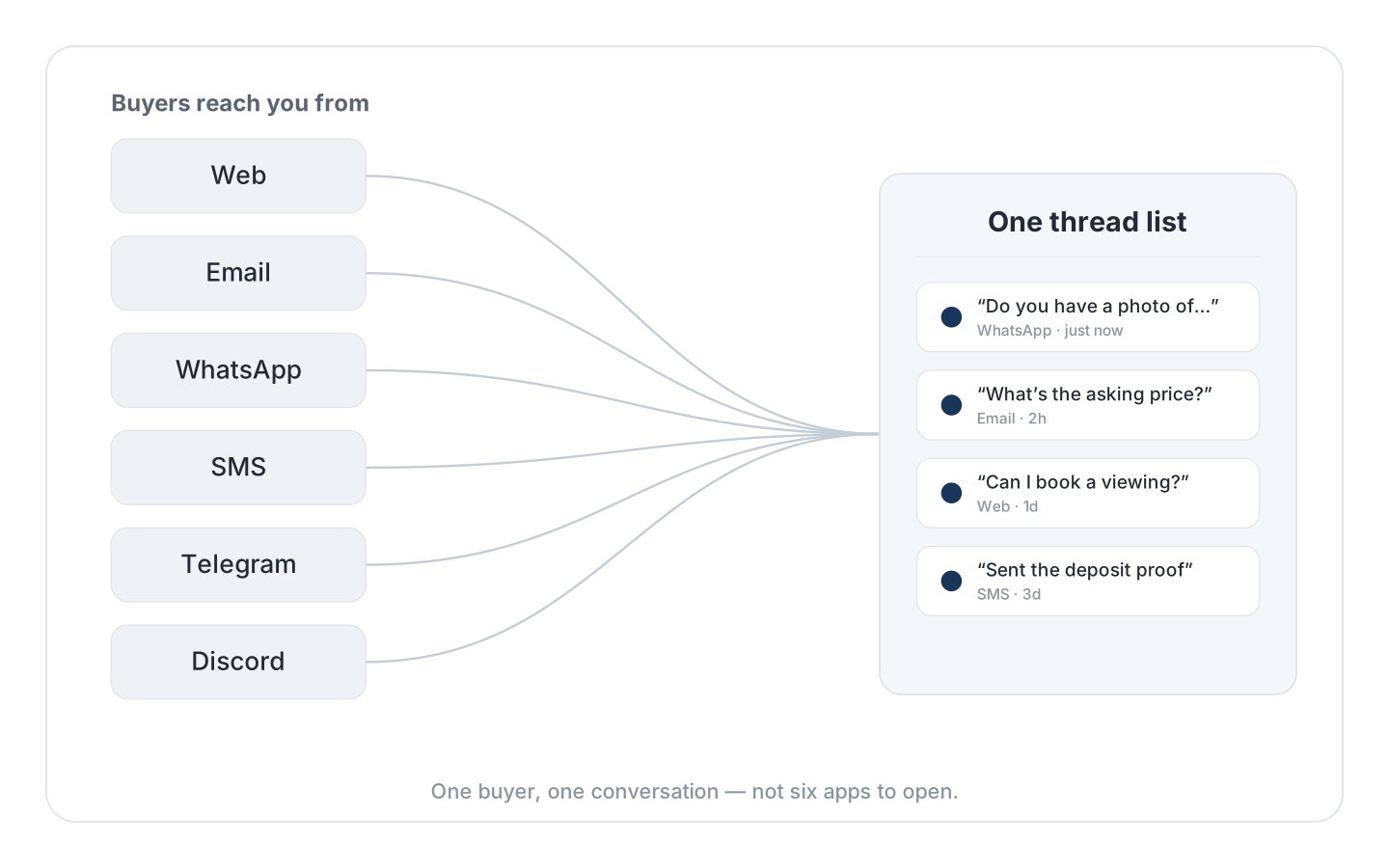
One Inbox for Every Channel
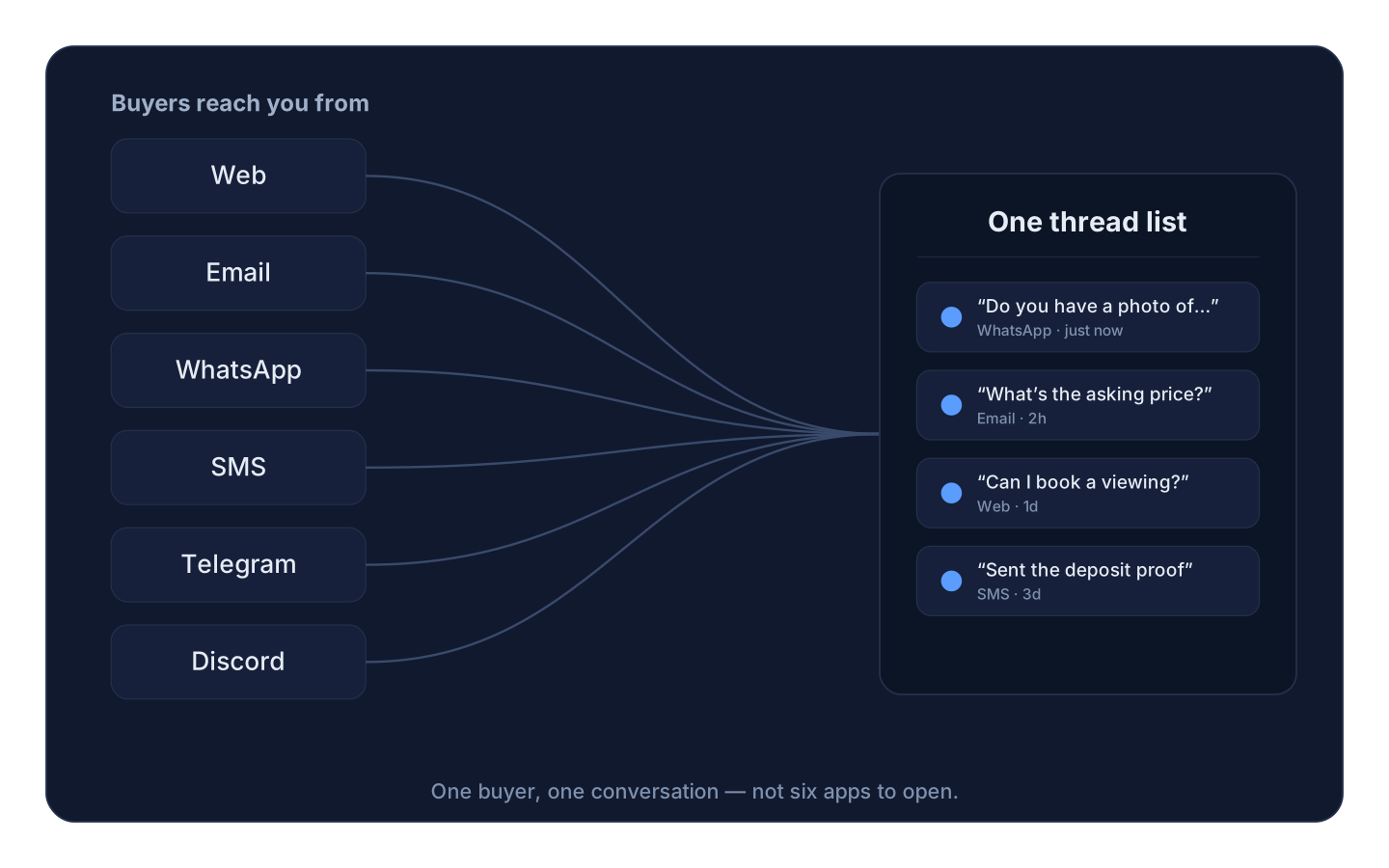
Buyers write from wherever they already are. The inbox handles six channels in one thread list: the platform's own web messaging, email, WhatsApp, SMS, Telegram and Discord — inbound and outbound both, with attachments.
What that means in practice: a buyer who enquires through a listing, replies to your email, and then sends a photograph over WhatsApp is one conversation in one place, not three. Email replies thread properly because each outbound message carries a signed reply address, so a customer answering from their own mail client lands back in the thread rather than in a personal mailbox. Every outbound message records its delivery state, and a failed send can be retried from the message itself.
Web messaging works with no setup. The other channels connect to your own provider accounts — your WhatsApp Business number, your Twilio account, your Telegram bot, your Discord application — from a settings screen that hands you the webhook address to paste in. Your numbers and your identity, not a shared platform one.
Customers who are not registered can follow their own conversation through a private link, without an account and without a password.
A Sales Pipeline Driven by Facts
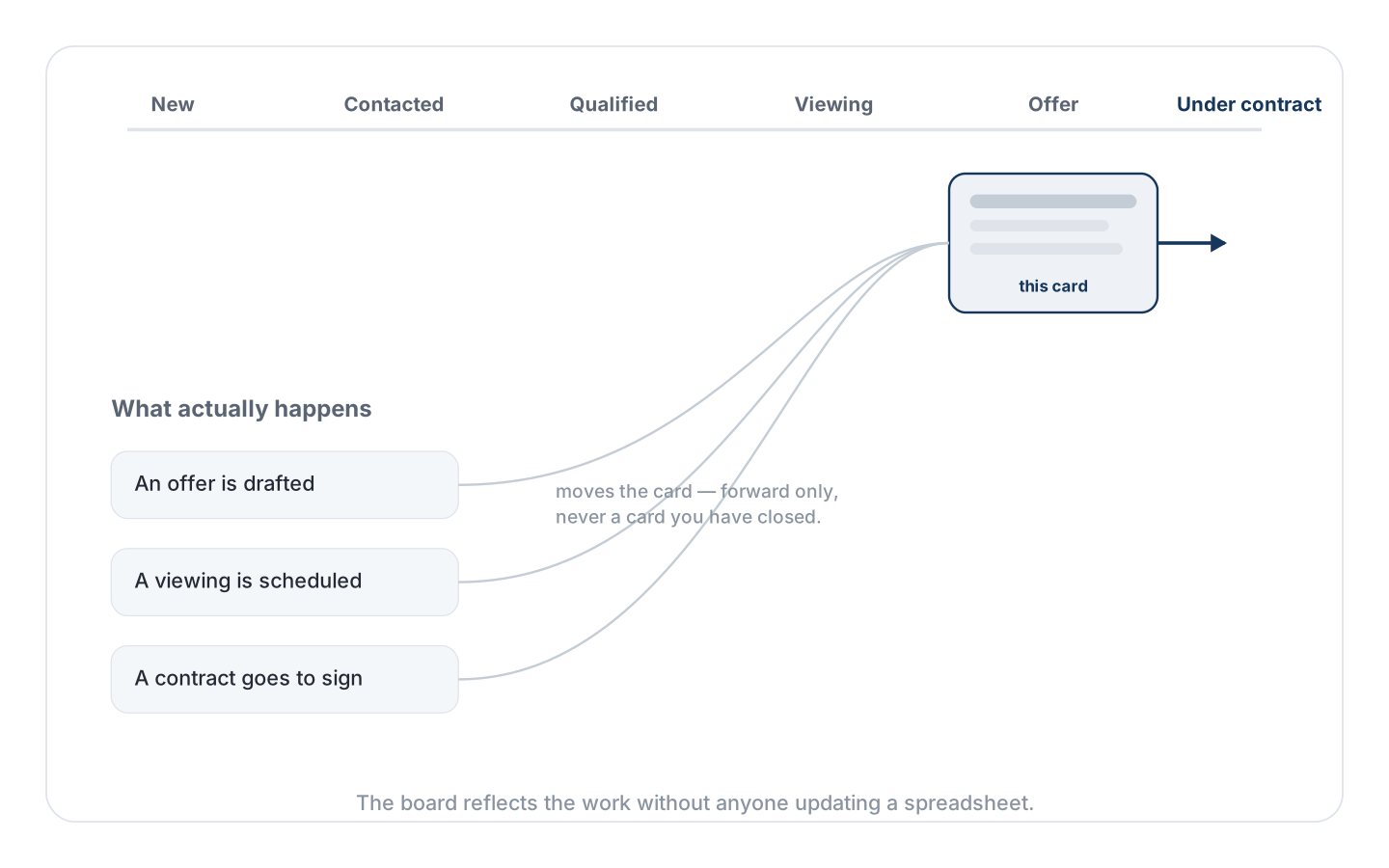
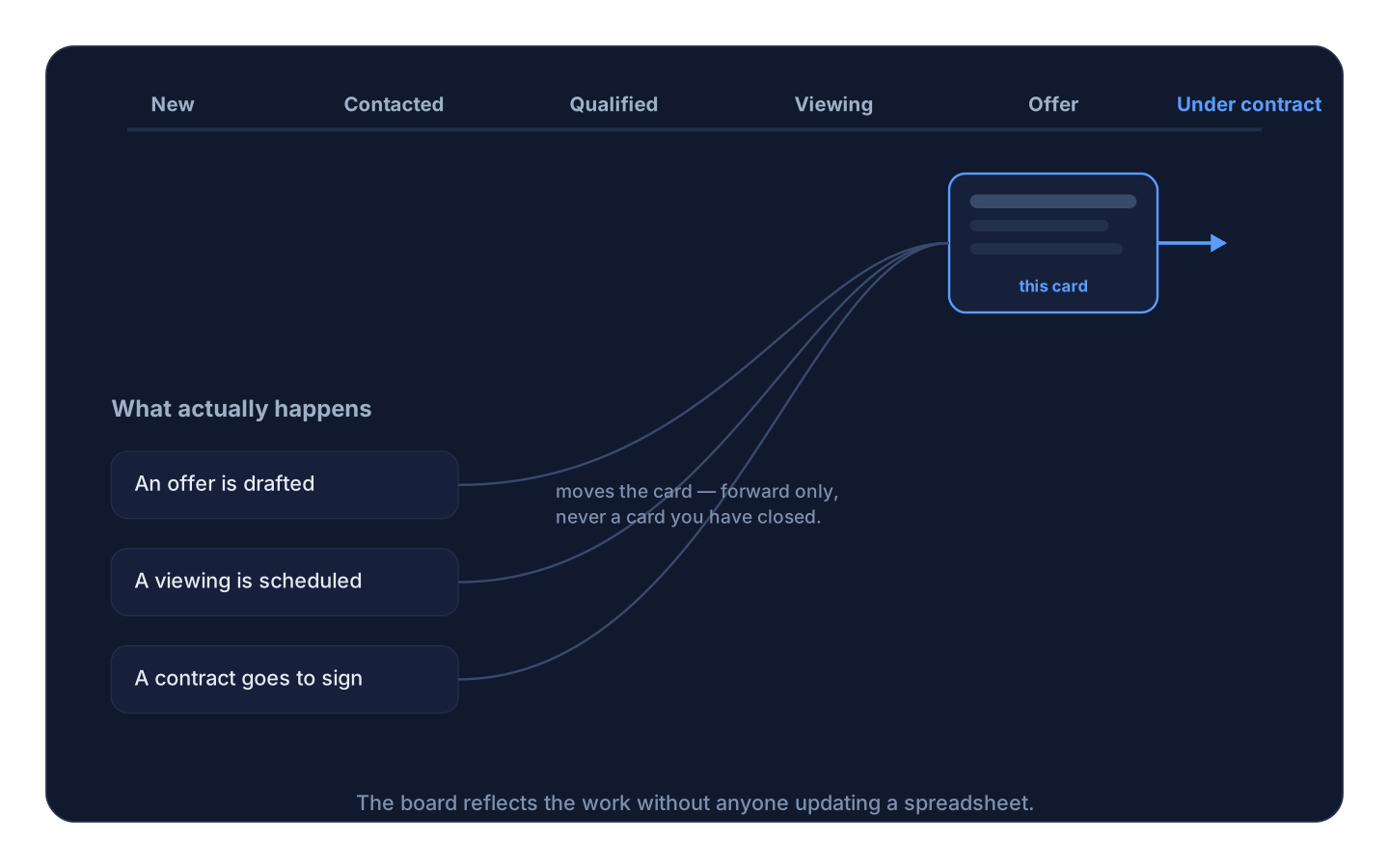
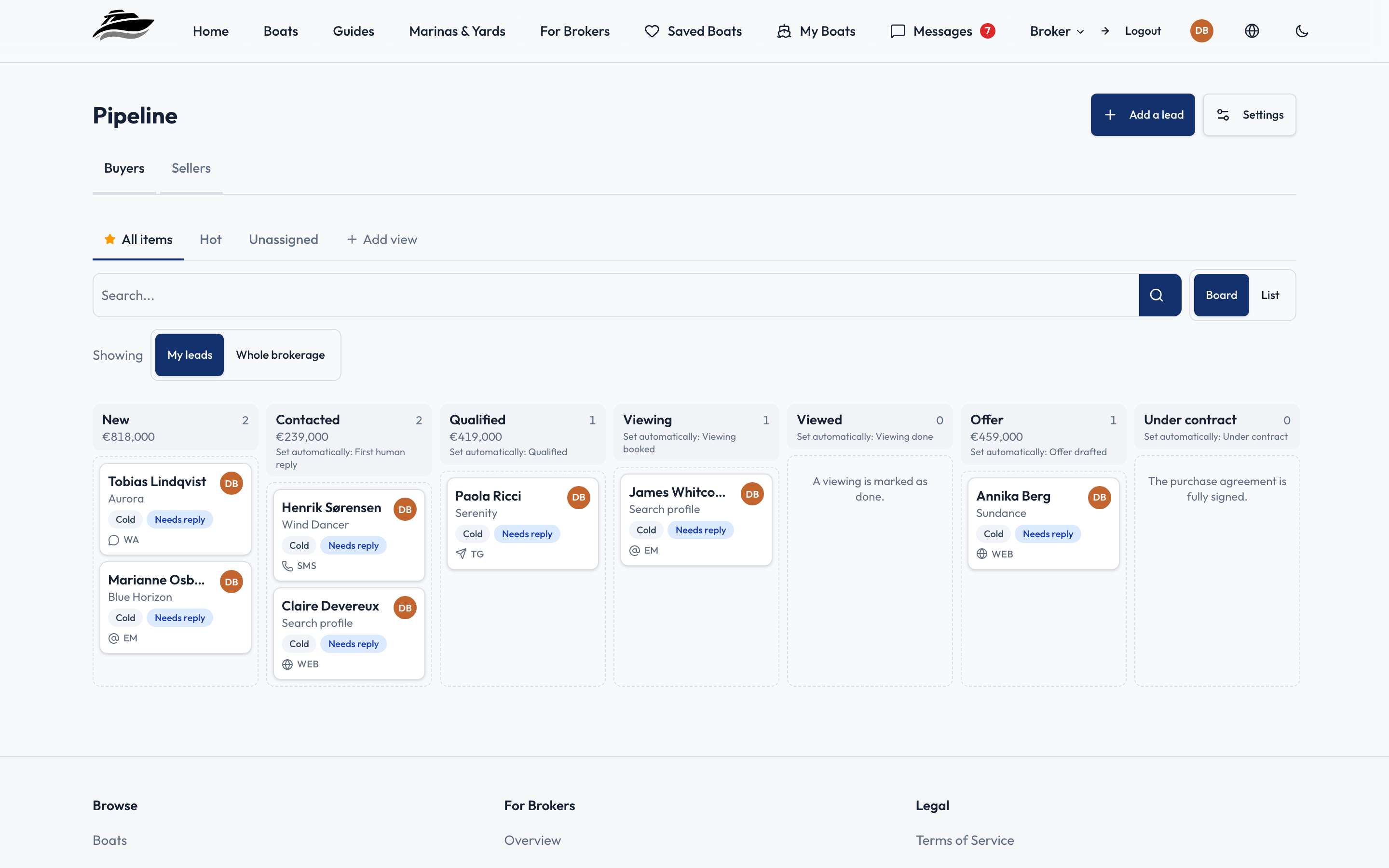
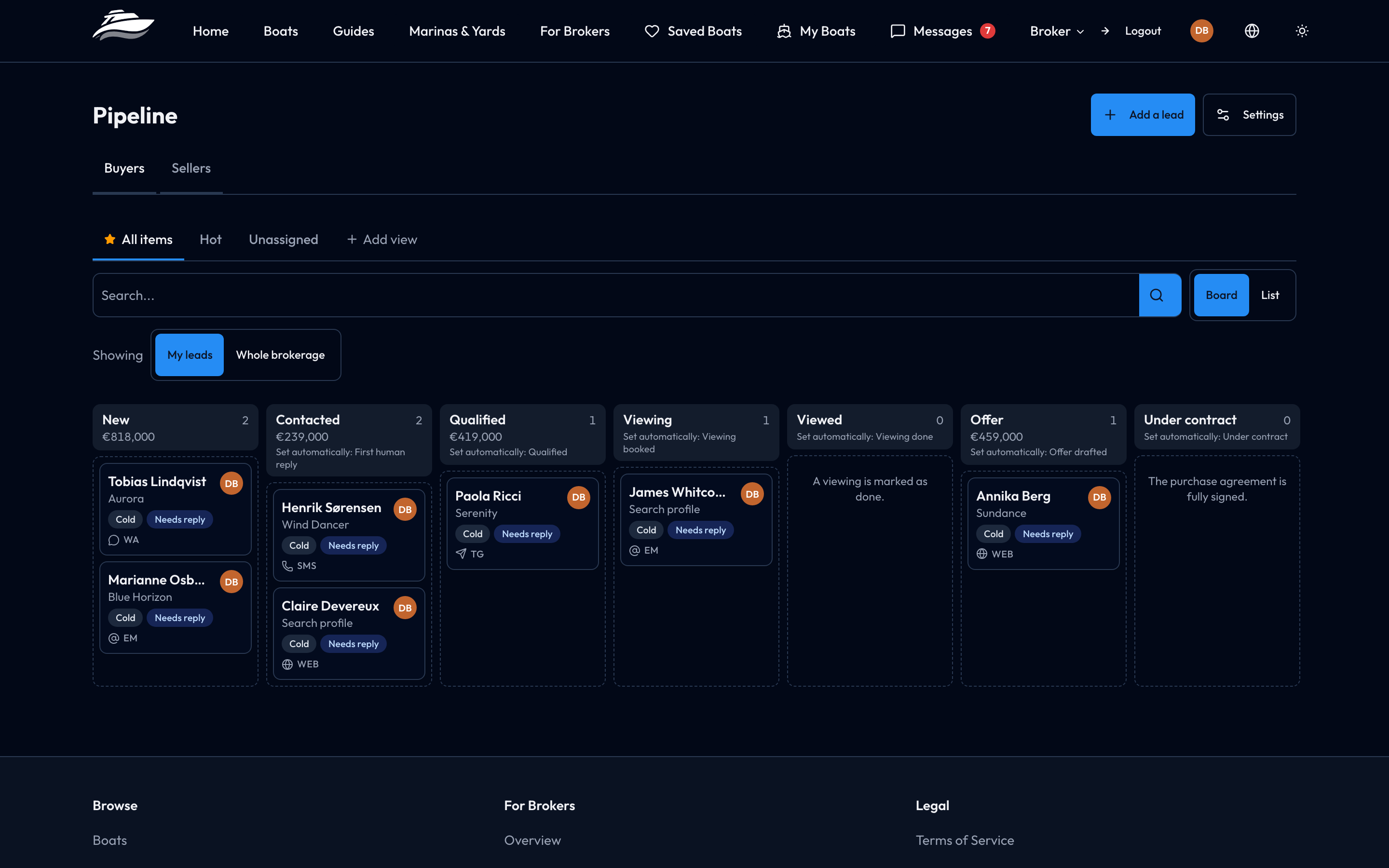
Every brokerage has a pipeline; most of them are a spreadsheet that is accurate on the day it is updated. Here the board moves itself from things that actually happened.
Two boards are set up when the organisation is created — one for buyers, one for sellers — with stages that mirror how the work runs: New, Contacted, Qualified, Viewing, Viewed, Offer, Under contract on the buy side; New, Valuation, Listing agreement, Onboarding, Live on the sell side.
Nine events move a card on their own: the first human reply, a viewing being scheduled, a viewing taking place, an offer being drafted, a contract going under signature, a listing agreement being signed, onboarding starting, a listing going live. Automatic moves only ever go forward, and never touch a card somebody has closed — so the board reflects the work without fighting the broker running it.
On top of that sits a rule engine you configure yourself: when a card enters a stage, when an enquiry arrives on a particular channel, when nothing has happened for a set number of days, when a viewing is booked or completed. Rules can send a message, assign an owner — to the broker responsible for the boat, round-robin, or first to claim — move the card, notify the team, or flag the card as going stale. Idle rules run on a scheduled job, so a conversation that has gone quiet surfaces without anyone remembering to look.
Viewings and sea trials are first-class appointments with their own statuses, including no-show. Cards carry a fit score, a lost reason when they close, and a full activity timeline.
An Optional Lead Assistant
New enquiries can be answered automatically for the first few messages — on the customer's own channel, in their own thread — to acknowledge the enquiry and collect the qualification you would have asked for anyway. Three things are enforced in code rather than left to a prompt: the assistant will not negotiate, because inbound text is classified before any reply is generated; your first outbound reply ends the session permanently; and the assistant sends through the same outbound path as a human, so delivery tracking, retries and the WhatsApp session window all apply unchanged.
It is off unless you turn it on, and it requires an AI provider to be configured.
Contracts, Signed on the Platform
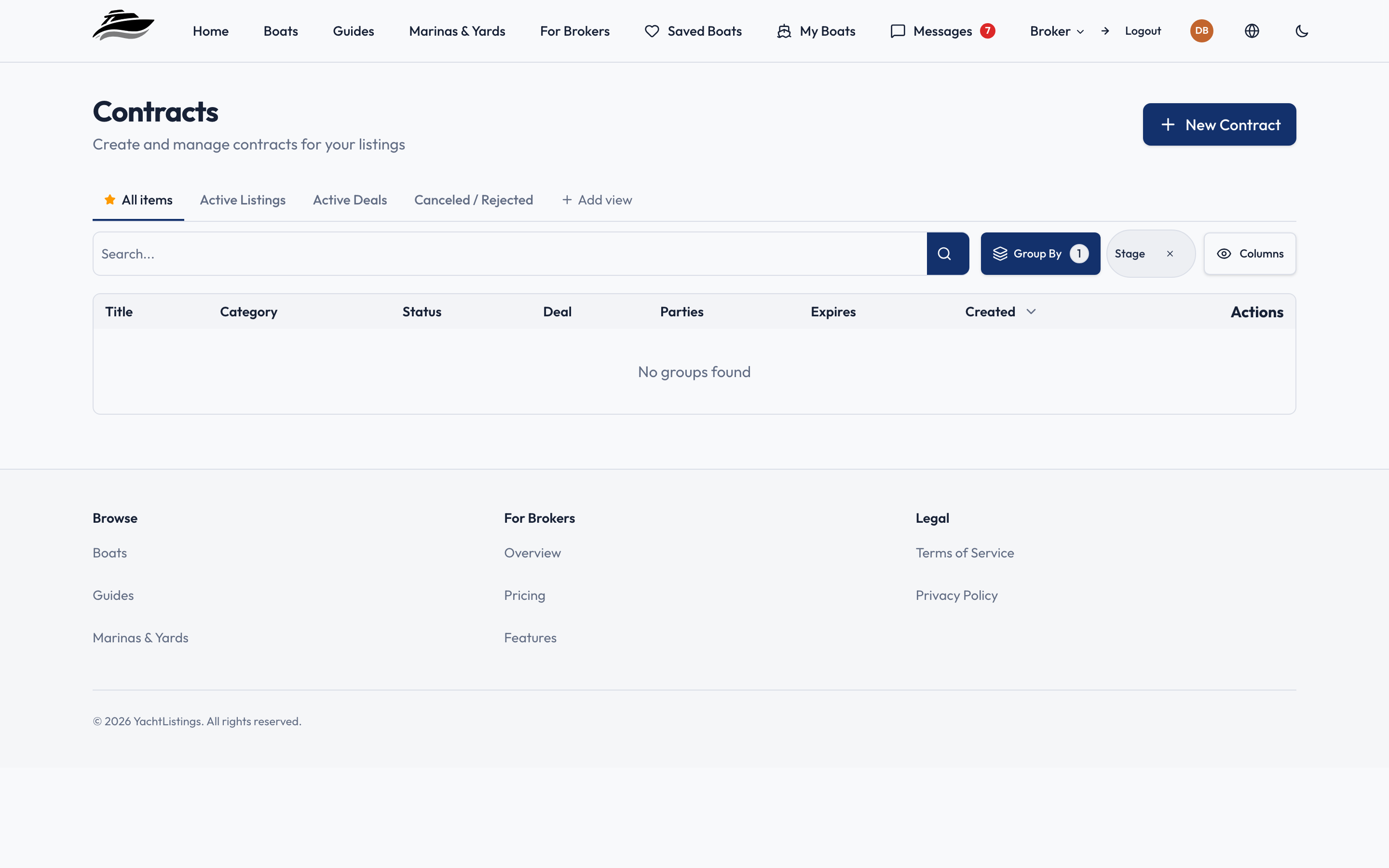
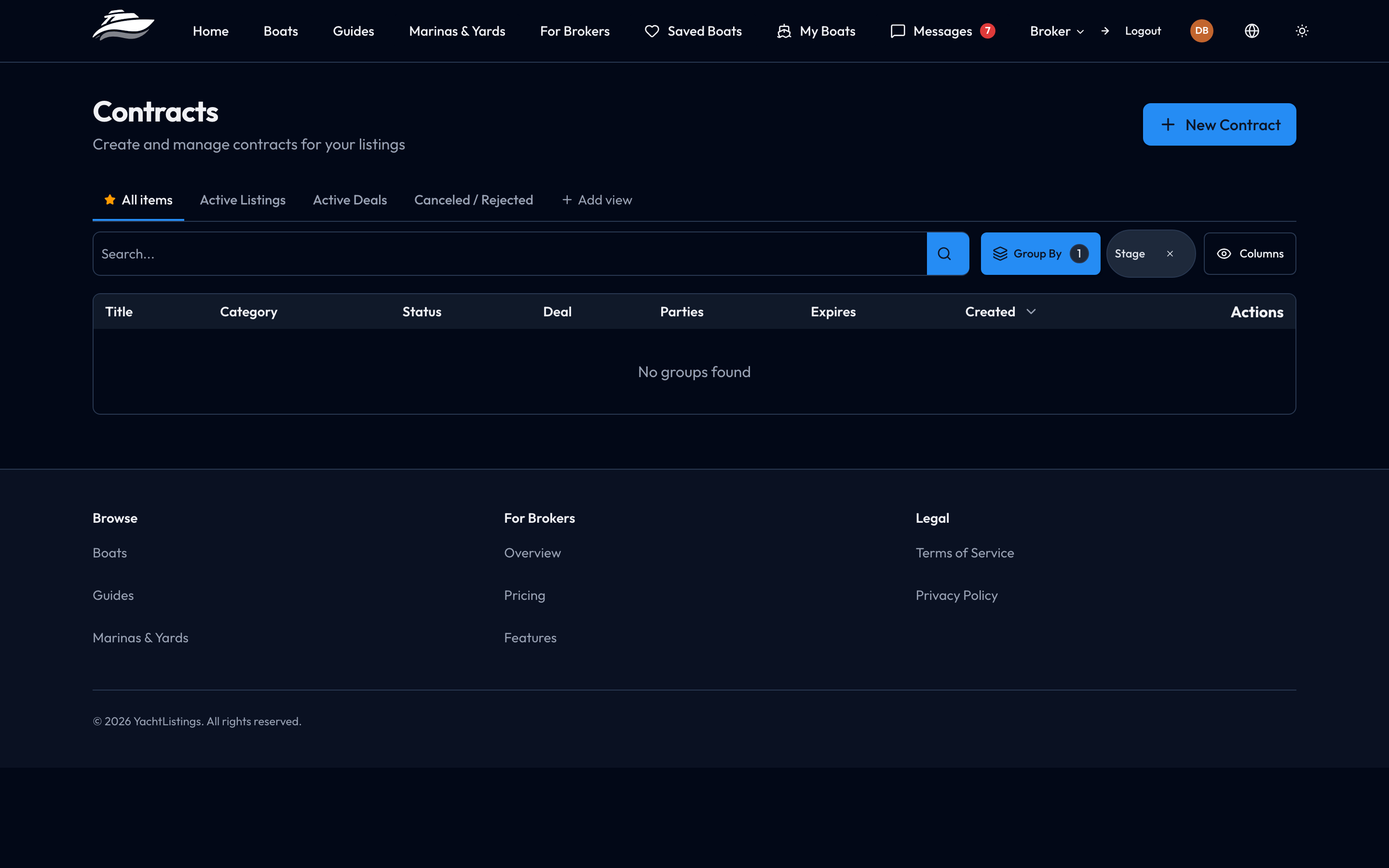
Ten contract types ship as templates: purchase and sale agreement, listing agreement, letter of intent, escrow agreement, co-brokerage commission agreement, amendment to a purchase and sale agreement, vessel acceptance, vessel rejection, conditional acceptance, and conditional acceptance with a survey allowance. You can also upload your own PDF and map its fields.
Fields are filled from what the platform already knows — the boat, the deal, the client — rather than typed again. The document is rendered as a real PDF with your branding, and sent for signature to every party through a private link that needs no account.
Signing order is part of the template, and it supports both patterns at once: parties in sequence where sequence matters, and parties in the same band signing in parallel where it does not — both brokers countersigning a co-brokerage agreement, for example. Beyond signing there is per-page initialling, document requirements that gate signature until the required papers are uploaded, signing delegation, deposit gating, contract versioning, and a change-request flow that freezes the document and shows every signer the actual proposed wording.
Client Onboarding That Produces a Listing
Taking on a new seller normally means a series of emails asking for the registration document, then the engine details, then the photographs. Instead, send one private link. The client works through a four-step wizard with no account: their details, their documents, a preparation step, and a review.
Nine document slots are offered — identity and vessel registration required, engine serial photographs, import tax papers, a previous survey, maintenance records and others optional. Where an AI provider is configured, the uploads are read to pre-fill make, model, year, hull identification number, registration number, flag, engines and dimensions, with every field allowed to be empty so nothing is guessed.
When the client submits, the platform creates a draft listing linked to them, writes the intake summary into the boat, and attaches every document to it at broker visibility. You start from a draft with the paperwork already on it, not from a blank form.
Your Own Domain
A brokerage can serve its own hostname from the platform: your domain, your pages, your navigation. Pages are written and published from the broker area — ordinary pages, redirects, and header and footer menus — with DNS validation to confirm the domain is pointed correctly before it goes active.
Listings Built to Be Read and Found
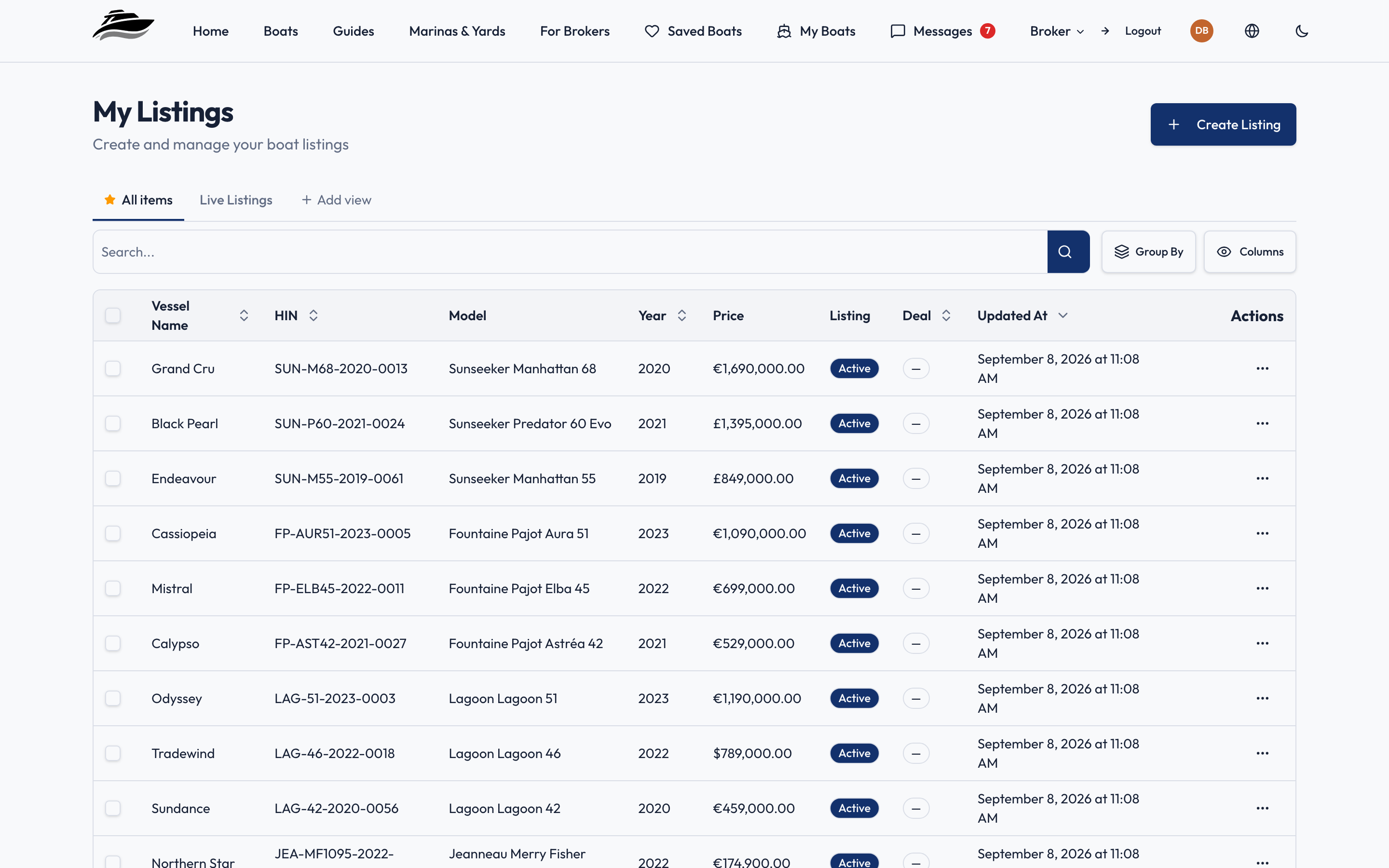
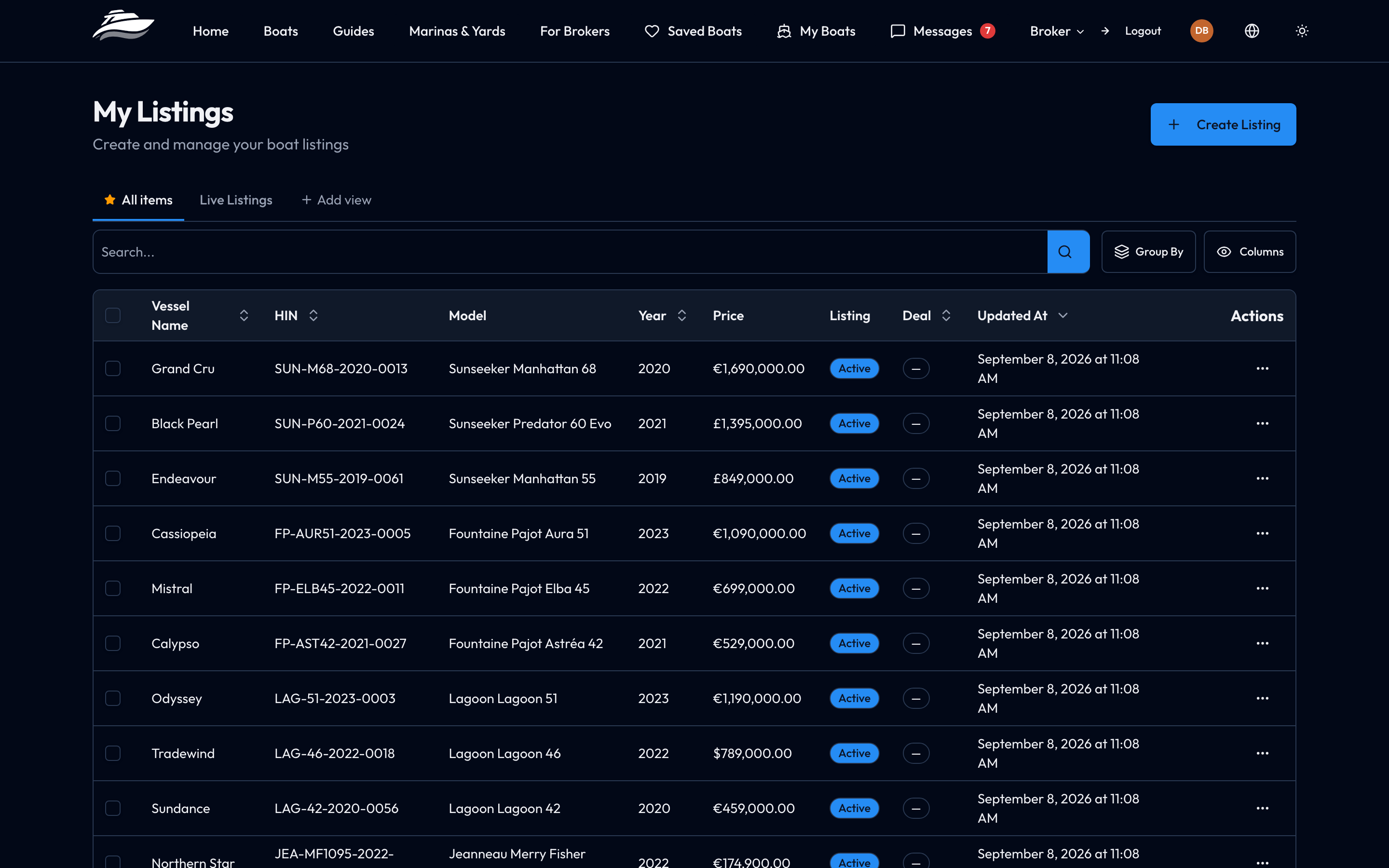
A listing is not one description and a gallery. It is a set of named areas — engine, rig and sails, electronics, interior, deck — each with its own description and its own photographs, plus optional video and virtual-tour embeds. A buyer comparing three boats reads by section, and this is the structure that lets them.
Area descriptions and image alt text carry per-language versions, and can be machine-translated into English, German, French and Spanish from the editor, so one listing reaches several markets without being written several times.
Public listing pages emit structured data — a full Product record with brand, model, production date, images, offer and seller — carry canonical URLs and Open Graph tags, are indexable, and appear in a sitemap that is generated from the live catalogue.
Marketing Content per Listing
Campaigns are attached to a specific boat and generate post content for Facebook, Instagram, WhatsApp and email on a schedule — recurring, at a specific time, or on approval — with everything landing in a review queue where you approve or reject before anything is used. Generation and scheduling are automated; posting to the network itself is still a human step.
A Worldwide Facility Directory
The platform ships with 6,888 approved marinas, yards and nautical facilities worldwide, on a public searchable map with filters for the boat's own dimensions — length, beam, draft, weight. It is a reference your clients can use, and one more reason for a buyer to be on the site at all.
The Rest of It
- Team permissions — eight separate rights per member, from managing boats and contracts to seeing other brokers' opportunities, set individually rather than by role alone.
- Documents — a library per boat, client or contract, with three visibility levels and a separate switch for whether the client sees it; clients read theirs through their own account.
- Saved searches for buyers — a buyer saves a search and is emailed when a matching boat is listed, instantly, daily or weekly. That is your listing reaching people who are not looking that day.
- Currencies — a listing states its price currency and which other currencies the seller will accept, shown to the buyer as stated rather than converted at a rate nobody agreed to.
- Voice dictation — dictate into the fields rather than typing them, where an AI provider is configured.
What It Costs
YachtListings.app is free for brokerages during the launch phase, and there is no pricing model to sign up to yet. When pricing is introduced, it will be announced with 90 days' notice before it takes effect. The reasoning, and what happens to your listings and your data, is set out on the pricing page.
Getting Started
Register your brokerage to create an organisation, add your team and start listing. The features page goes through each capability above in more depth, and the guides under running a brokerage cover the day-to-day work the platform is built around.